✦ Folio Revision Studio
Skip to content

A creative home for your novel

Your Story.
Your Workspace.
Your Folio.

From first drafts to final revisions, Folio brings your manuscript, characters, story structure, creative inspiration, and revision tools together in one beautifully organized workspace.

Explore Features

Write. Develop. Gather inspiration. Revise. All in Folio.

Your story, with room to grow.
Revision StudioFictional sample project
The Glass OrchardWorkspaceDashboardManuscriptCorkboardScene revision boardRevision InboxStory DevelopmentCharacters & ArcsStory Map
BinderChapter OneThe letterThe orchard gateChapter TwoA promise kept
Current scene B   I   U

The letter

The letter arrived on a morning that smelled of rain.

Elin turned it over in her hands, reading the unfamiliar seal before she dared to break it. Beyond the window, the orchard stood perfectly still.

For the first time in years, she wanted to know what came next.

Revision inspectorScene title

The letter

Summary

A long-awaited message changes Elin’s plans.

POV

Elin

Status

To revise

Interface illustration, not a screenshot. Fictional sample text.

The tools, thoughtfully connected

Less scattered.
More story.

Manuscript editing, story development, creative inspiration and revision planning—connected around your novel.

01 / Manuscript Editor

Your manuscript.
Room to think.

A chapter-and-scene workspace for writing and revision, with the bigger story always close at hand.

  • Rich-text editing and autosave
  • DOCX import with structure review and chapter matching
  • Split Editor for drafts, notes and Story Map references
  • DOCX manuscript export and connected revision tools
Explore the manuscript workspace →

02 / Writing Insights

Recognize patterns.
Revise with intention.

Explore your actual manuscript text with informational analysis that leaves every revision decision to you.

  • Word frequency, word echoes and repeated phrases
  • Estimated adverbs and dialogue balance
  • Estimated POV language patterns and punctuation habits
  • Revision Insights Comparison for originals, current text and available scene checkpoints
Explore Writing Insights →
03

Corkboard

See the shape of your story.

Move scene cards, review summaries, POV labels and revision statuses, and rearrange the scenes connected to your manuscript.

04

Story Development

Keep your story world within reach.

Character profiles and arcs, setting references, Story Map, plot threads, an interactive timeline, pacing and tension ratings, and fillable structure templates.

05

Revision Management

Turn the next draft into manageable steps.

Plan chapter and scene revisions, customize revision passes, collect Revision Inbox notes, follow Dashboard progress, and keep beta-reader feedback close.

06

The Folio Notebook

Give ideas their own place to land.

Separate Ideas and Miscellaneous Notes notebooks, custom categories, tags, search and Quick Note capture. Personal notes stay distinct from your Revision Notes Inbox.

Creative inspiration, with room to roam

Bring Your Story’s
Atmosphere to Life.

Collect your inspiration, arrange images freely, layer textures and details, and create beautiful visual worlds with Folio’s interactive Mood Boards.

  • Freeform images: overlap, resize, rotate and reorder layers
  • Custom text, decorative elements, backgrounds and canvas sizes
  • A full-width workspace with collapsible tools and Focus Mode
  • Multiple saved boards, a gallery and links to story references
  • PNG, JPEG and flattened PDF exports

Open the actual workspace in read-only sample mode. Pan, zoom and select layers. Editing, uploads and saving belong to your own studio.

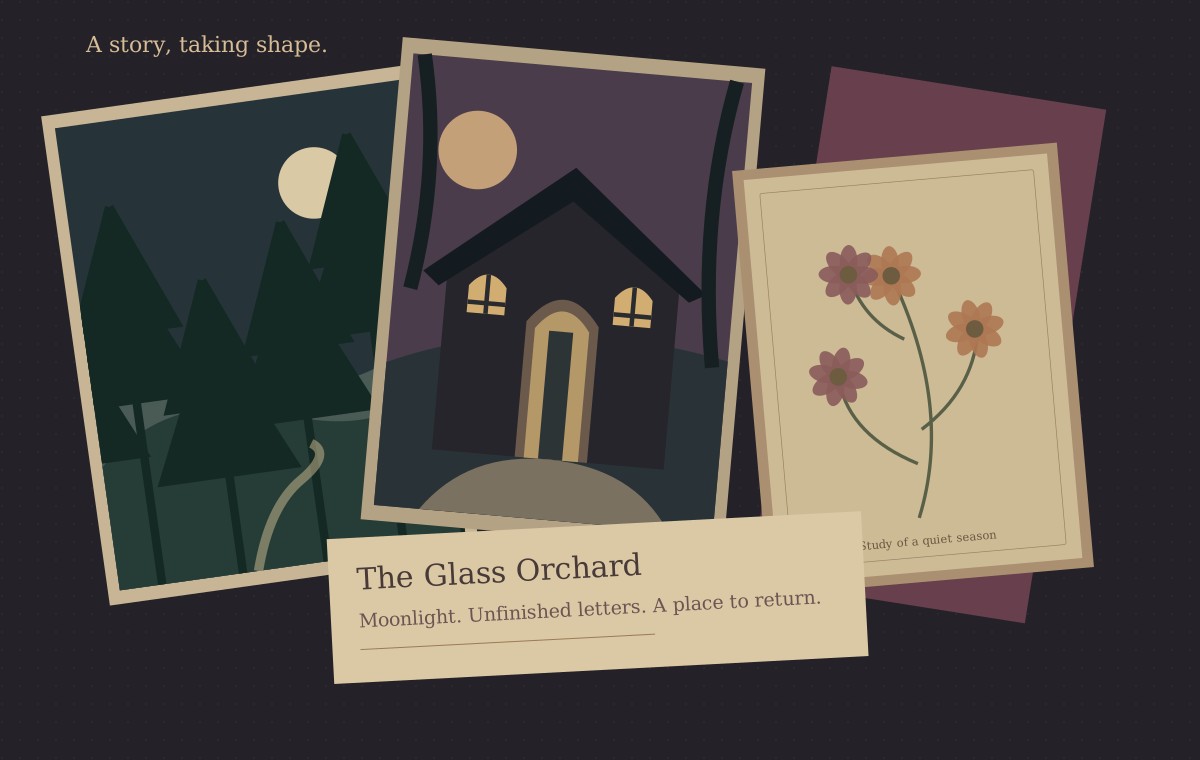
Original sample inspiration board with overlapping, rotated illustrations of a moonlit forest, an old house, flowers and a paper story note.
Original artwork for the fictional Glass Orchard sample. Board artwork, not an interface screenshot; no private project material.

Step inside the studio

A place to see your story clearly.

Familiar tools, a connected workspace, and the freedom to follow your own revision process.

Revision StudioFictional sample project
The Glass OrchardWorkspaceDashboardManuscriptCorkboardScene revision boardRevision InboxStory DevelopmentCharacters & ArcsStory Map
BinderChapter OneThe letterThe orchard gateChapter TwoA promise kept
Current scene B   I   U

The letter

The letter arrived on a morning that smelled of rain.

Elin turned it over in her hands, reading the unfamiliar seal before she dared to break it. Beyond the window, the orchard stood perfectly still.

For the first time in years, she wanted to know what came next.

Revision inspectorScene title

The letter

Summary

A long-awaited message changes Elin’s plans.

POV

Elin

Status

To revise

Interface illustrations of existing Folio features, not screenshots. All project names and manuscript text shown here are fictional. No private user data is displayed.

Begin wherever you are

One draft.
A world of possibility.

  1. 01

    Create Your Project

    Start a novel project and organize your manuscript, characters, settings and story information.

  2. 02

    Build Your Story World

    Develop characters, plan scenes, connect plot threads and gather visual inspiration with Mood Boards.

  3. 03

    Write, Revise, and Refine

    Edit your manuscript, explore Writing Insights, track revisions and follow your progress at your own pace.

Made for the work between drafts

Your story.
Your process.
Your space.

Writing a novel is rarely a straight path. There are tangled plotlines, stubborn characters, forgotten details, and chapters that need another chance.

Folio Revision Studio was created to make that process feel a little less overwhelming.

Whether you’re restructuring an entire manuscript or polishing a single paragraph, Folio gives you a dedicated space to approach your story with clarity, intention, and creativity.

There is more to your story

Every Story Deserves
a Space to Grow.

Bring your ideas, inspiration, and revisions together in one creative workspace.

Connecting sign-in…